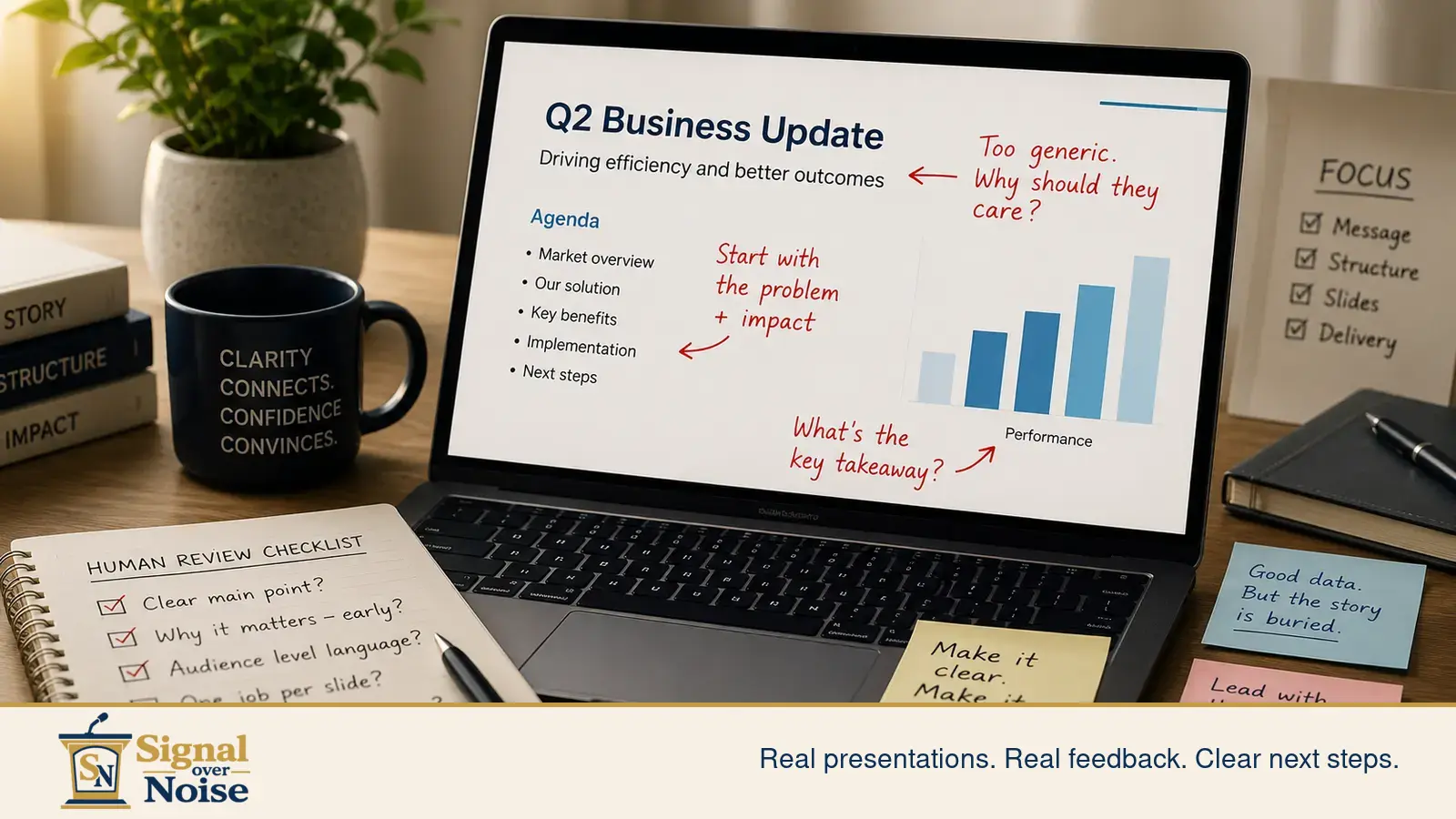
AI can help you make a presentation faster.
That does not mean the presentation is ready.
Short answer: AI can help draft a presentation, but it cannot reliably judge whether the message, structure, slides, and delivery will work for the actual audience.
A good AI presentation review is not just a grammar check. It is a judgment check.
This is where a lot of teams get into trouble. The deck looks cleaner. The script sounds more polished. The English may even feel smoother. So everyone relaxes and assumes the hard part is done.
Not quite.
AI can produce a presentation-shaped object very quickly. But a real presentation has to survive a real room: skeptical listeners, limited attention, cross-cultural assumptions, technical questions, decision pressure, and the small but brutal fact that people do not listen the way documents are written.
That is why your AI-made presentation still needs a human review.
The problem
AI is good at generating material. It is weaker at judging whether that material will actually land.
A presentation is not just a collection of slides and nice sentences. It is a live argument. It needs to answer:
- What is the real point?
- Who needs to understand it?
- What do they already know?
- What might confuse them?
- What decision, belief, or action should happen next?
AI can help draft answers to those questions. But it does not naturally know your audience, your stakes, your company politics, your investor expectations, your professor’s evaluation style, or the awkward silence that happens when slide 12 finally reveals what slide 2 should have said.
Especially if you are presenting in English, presenting across cultures, or explaining technical work to people outside your field, the risk is not just “bad grammar.” The bigger risk is that the message arrives late, the logic feels muddy, or the audience has to work too hard to understand why your point matters.
Why this happens
AI tends to make presentations feel finished before they are truly clear.
It can smooth the language. It can create a reasonable outline. It can turn rough notes into something that looks like a professional deck. Useful? Absolutely.
But that polish can hide deeper problems.
A small example
An AI-generated opening might sound like this:
“Today I will introduce our innovative solution, explain the current market background, and discuss how our platform can improve communication efficiency.”
There is nothing grammatically wrong with that.
That is the problem.
The sentence is clean, but it does not tell the audience why they should care yet. It announces the presentation instead of starting the argument.
A human review would push it closer to this:
“Our sales, support, and operations teams are explaining the same product change in three different ways. That confusion is costing time, trust, and follow-through. This presentation shows how we fix that.”
Now the audience has a reason to listen.
That is the difference between polished language and useful presentation language.
1. The main point is buried
AI often gives every idea equal weight. That creates slides that sound balanced but do not guide the audience.
A human reviewer asks:
What is the one thing the audience must remember from this section?
If that answer is unclear, the slide is not ready.
2. The structure sounds logical, but the room will not follow it
AI likes familiar structures: background, problem, solution, benefits, next steps.
That structure is not wrong. It is just not always enough.
A real audience may need the conclusion earlier. They may need the business reason before the technical detail. They may need the risk stated clearly before the solution makes sense.
A human reviewer checks the listening path, not just the outline.
3. The English may be correct, but not useful
Correct English is not the same as effective presentation English.
AI can create sentences that are polished but heavy. Too many abstract nouns. Too much “we aim to leverage innovative synergies” energy. Very shiny. Very dead.
For international presentations, the goal is not fancy English. The goal is language the audience can follow, repeat, and trust.
4. The slides may look cleaner, but still ask too much
AI-assisted slide tools can make a deck look more designed. That helps, until the slide is still trying to explain six things at once.
Human review catches whether the slide has a job.
One slide, one job. Not one slide, one department meeting, three side quests, and a graph that needs its own emotional support animal.
5. Delivery still changes everything
A script that reads well may not speak well.
Some lines look strong on the page but sound stiff out loud. Some transitions are clear in writing but confusing when spoken. Some sections need more emphasis, more breathing room, or less “I am now reading my own report to you.”
AI can draft words. A human reviewer can ask whether those words are actually speakable.
What to fix first
Before you spend more time decorating slides, rewriting every sentence, or asking AI for “a more professional version,” check these five things.
1. Find the real promise
Ask:
After this presentation, what should the audience understand, believe, or do?
If you cannot answer that in one plain sentence, start there.
Not with the template. Not with the visuals. Not with the opening joke that definitely seemed better at 1:13 a.m.
The promise controls everything else.
2. Move the point earlier
Many AI-made presentations spend too long warming up.
They explain the background, then the context, then the trend, then the internal challenge, then eventually the point wanders in carrying luggage.
For busy audiences, especially decision-makers, that is too late.
Try this:
Here is the problem, here is why it matters now, and here is what we recommend.
That basic structure will beat a polished mystery tour almost every time.
3. Cut language the audience cannot reuse
A good presentation gives the audience language they can repeat.
If your key message depends on long, abstract, AI-polished phrasing, simplify it.
Instead of:
“Our solution enables optimized communication alignment across stakeholder groups.”
Try:
“This helps sales, support, and operations explain the same change in the same way.”
Less glamorous. More useful. That is the trade. Take it.
4. Give each slide one job
Look at every slide and ask:
What is this slide supposed to help the audience see?
If the answer has “and” in it three times, the slide is probably overloaded.
Common slide jobs include:
- Define the problem.
- Show the cost of delay.
- Explain the solution.
- Prove traction.
- Compare options.
- Ask for a decision.
Pick one.
5. Read the script out loud
This is the step people skip because it is annoying.
Do it anyway.
Reading out loud catches problems that silent editing misses: stiff phrasing, overlong sentences, missing transitions, weak emphasis, and sections where you sound like you are narrating a PDF hostage situation.
If the sentence does not survive your mouth, rewrite it.
AI presentation review checklist
Before you use an AI-made presentation with a real audience, check the parts AI often misses.
- [ ] Can I state the main point in one plain sentence?
- [ ] Does the audience understand why this matters within the first two minutes?
- [ ] Does each section clearly answer “so what?”
- [ ] Are the slide titles doing real work, or just labeling topics?
- [ ] Does each slide have one clear job?
- [ ] Are technical details explained in audience-level language?
- [ ] Can a listener repeat the key message after hearing it once?
- [ ] Does the script sound natural when spoken?
- [ ] Are the strongest points placed early enough?
- [ ] Is the next step clear?
If several answers are “not really,” the presentation may not need more AI.
It needs review.
What human review catches
A strong human review does not just say “make it clearer.”
That is not feedback. That is a weather report.
Useful review identifies where the presentation is losing the audience and what to fix first.
For example:
- The opening gives context before it gives the reason to care.
- The strongest business point is buried near the end.
- The slide title describes the topic but not the message.
- The script sounds polished but too written.
- The audience needs a simpler bridge between the problem and the recommendation.
- The deck looks finished, but the decision ask is still vague.
Those are fixable problems.
The value of review is knowing which problems matter most before you spend another six hours polishing the wrong thing.
To see how this kind of review looks in practice, you can also look at the Sample Work page.
AI is not the enemy
This is not an anti-AI argument.
Use AI. Seriously. Use it for drafts, outlines, alternate phrasing, summaries, rehearsal questions, and first-pass slide ideas.
Just do not confuse faster drafting with final judgment.
AI can help you produce the material. Human review helps you decide whether the material works.
That distinction matters.
Especially when the presentation has real stakes: a pitch, a proposal, a conference talk, an academic presentation, an internal leadership update, or an English presentation for an international audience.
In those moments, “good enough from the tool” is not the standard.
Clear enough for the room is the standard.
Next step
Start small.
Send one slide, your opening paragraph, or a short practice clip. The Free Presentation Diagnostic will show you what is blocking clarity, credibility, or delivery, and what to fix first.
No guessing. No generic advice. No pretending the template solved the problem.
Just real presentation material, reviewed for the room it actually has to face.